Student coursework management built for the neurodivergent brain, not against it.
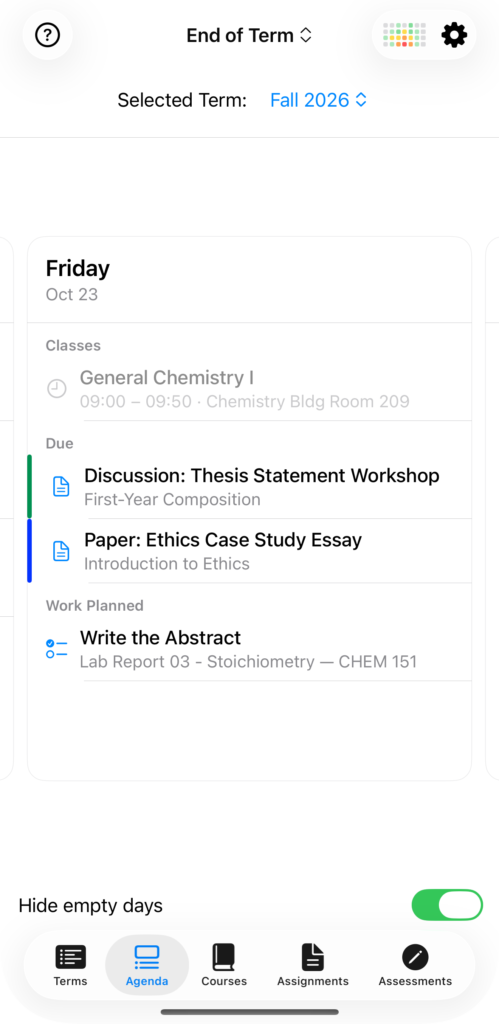
StudiFoca is a term planner for college students with ADHD and other neurodivergent brains—designed around how you actually work, not how a planner assumes you should.

“StudiFoca is the app I wish I’d had in college. I was diagnosed with ADHD as an adult, after years of losing track of time, forgetting due dates, and sometimes forgetting I had class at all. Most planners assume you can already estimate how long something will take and in what order to do it—StudiFoca doesn’t.”
— Bacil Donovan Warren, developer of StudiFoca
What it does
Four ways StudiFoca keeps you ahead of the semester
Workload heat map
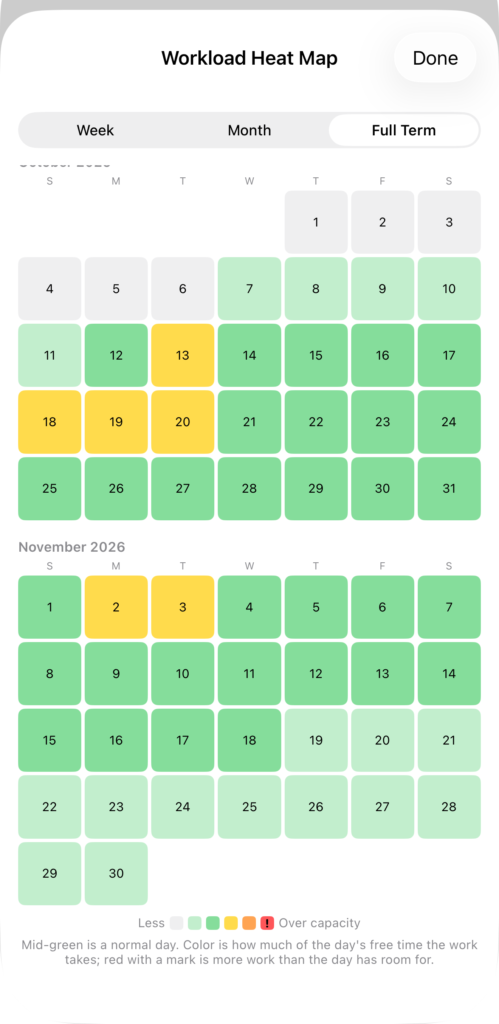
A due-date list tells you what’s coming. It doesn’t tell you that the third week of October is three deadlines deep. Week, Month, and Full Term views show where effort concentrates—weeks before you’d feel it.
Assignment step breakdown
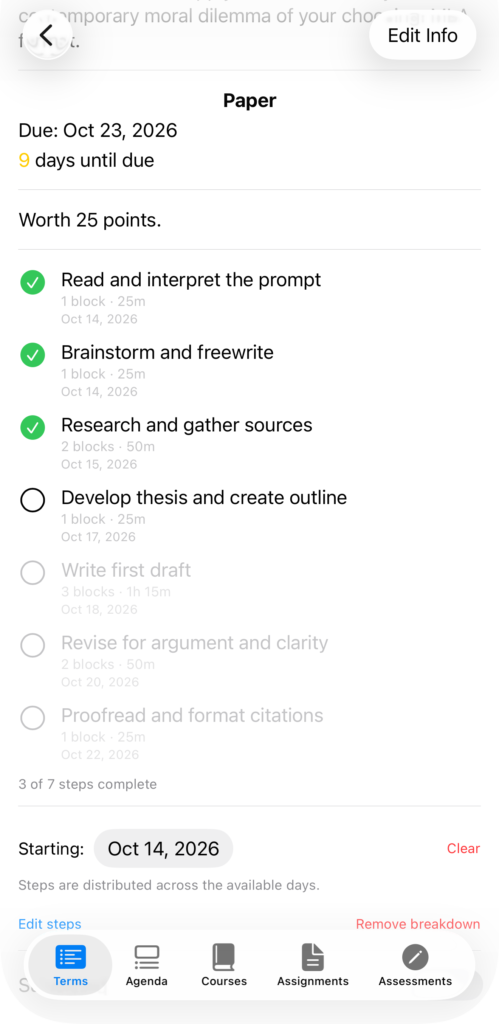
Assignments are broken into steps with focus-block estimates, sized to how long attention actually holds up—not a guess.
Syllabus & calendar import
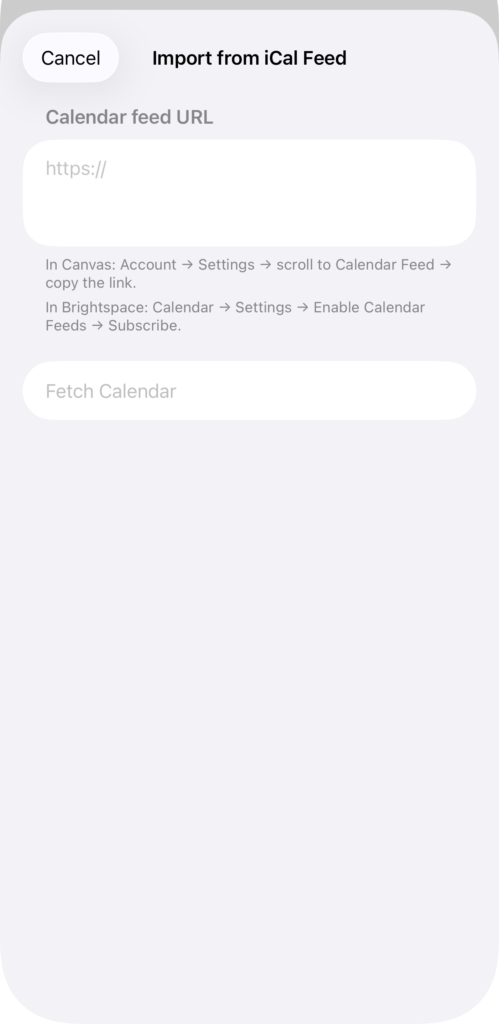
Scan a PDF syllabus and StudiFoca reads the course structure on-device with Apple Intelligence (requires iOS 26 and a device that supports Apple Intelligence). Already on Canvas or Brightspace? Import their .ics calendar feed instead.
Calendar & Reminders sync
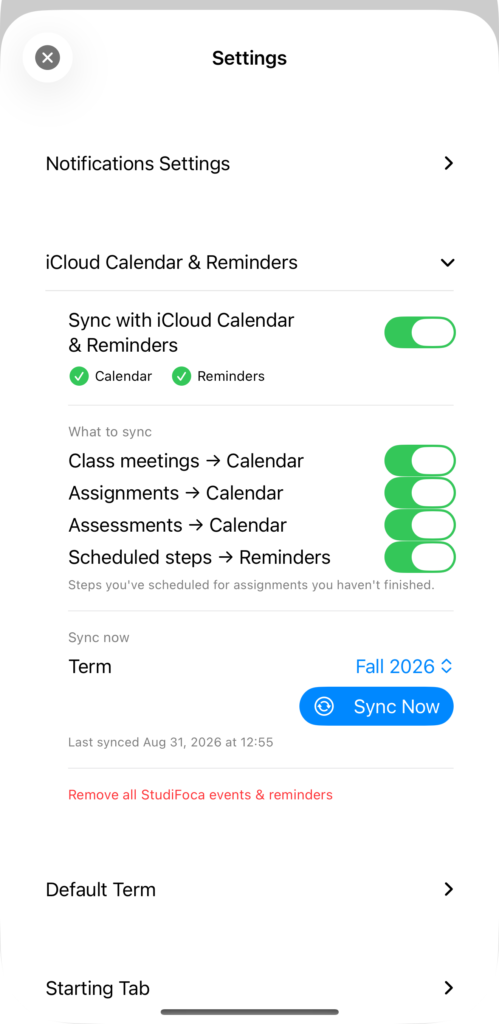
Deadlines show up on your Lock Screen, and in Apple’s own Calendar and Reminders—free, on every tier.
No subscriptions. Pay once, or don’t pay at all.
The free tier is fully functional—every feature works exactly the way it does on Full Load. Paying unlocks scale, not capability.
Free
$0
- One term, two courses
- Every feature fully functional
- All notification levels
- Full step breakdowns
Full Load
$9.99 one time
- Unlimited terms and courses
- Same features, no caps
- Pay once—unlocked for good
- No subscription
StudiFoca collects no data
No analytics SDKs, no ad trackers, no servers that see your device. Nothing to sell, because nothing is collected.
Accessibility audited
VoiceOver-tested and checked in both light and dark mode against Apple’s App Accessibility Guidelines.
Download now!
Documentation • Privacy Policy • Send feedback • StudiFoca Press Kit